Monitor device health
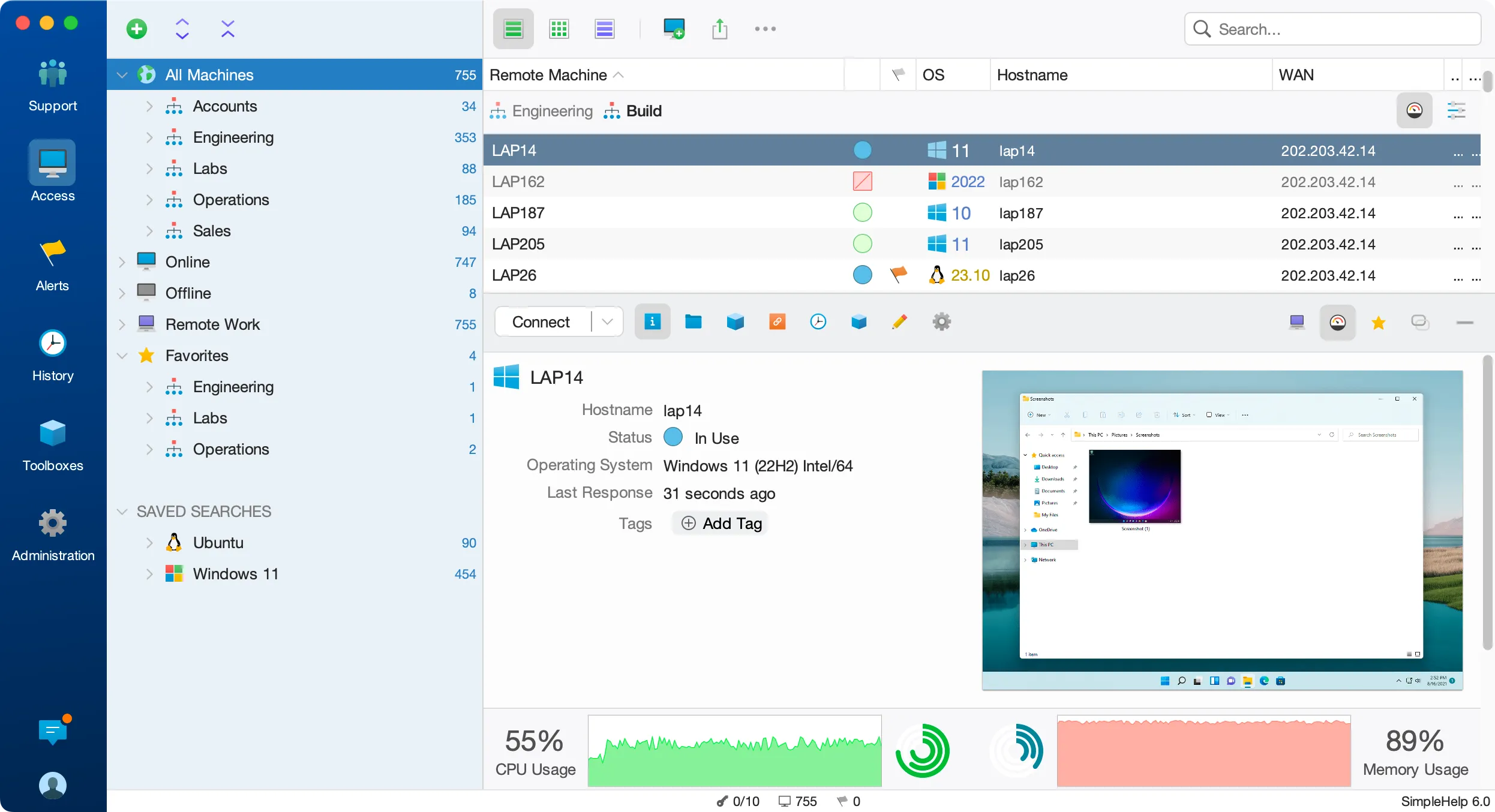
See CPU, memory and disk usage alongside machine status. Group devices by customer or purpose so technicians can find relevant machines and investigate resource pressure before it disrupts more work.
Spot problems early and act from the same console. SimpleHelp combines live monitoring, custom alerts, scripting and remote access so IT teams and MSPs can keep machines healthy across customers, offices and locations.
Remote monitoring and management (RMM) brings together two jobs: watching the health of your devices and taking action to maintain them. Monitoring tells you which machines need attention. Remote machine management gives you the scripts, tools and access to do something about it.
Move from individual support calls to a repeatable maintenance workflow. Monitor your estate, define what needs attention and give technicians a direct route to a fix.
See CPU, memory and disk usage alongside machine status. Group devices by customer or purpose so technicians can find relevant machines and investigate resource pressure before it disrupts more work.
Set up alerts for the conditions that matter to your team. Use custom scripts to check application-specific requirements, then connect those checks to the way you respond.
Run tools and scripts remotely, schedule recurring tasks and take action in response to events. Deploy files and resources across groups of machines to reduce repetitive hands-on work.
Open a remote control or terminal session when a task needs investigation. The same platform supports background maintenance and direct assistance, so technicians can choose the right approach for each issue.
A disk-space alert flags a machine that needs attention. A technician checks its diagnostics, runs an approved cleanup script and verifies the result. The team can then schedule suitable maintenance for similar machines, rather than repeating the same investigation one device at a time.
Start with a few test devices and a workflow your team knows well.
Remote access lets you connect to a machine. RMM adds ongoing health monitoring, alerts and repeatable maintenance across a collection of machines. SimpleHelp brings both into one platform.
Yes. SimpleHelp supports remote tools and scripts, scheduled maintenance and custom script-based alerts. You can build on the scripting languages and operational checks your team already uses.
Cyana is an optional AI add-on for fleet diagnostics, tools and automation, as well as help inside remote sessions. It supports a choice of AI providers, including on-premise models, with technician review before changes are made.
Run remote access on your own infrastructure or cloud. SimpleHelp gives you control of server location, authentication, permissions and update timing.
ExploreAccess unattended computers and servers with SimpleHelp. Remote desktop, file transfer and terminal tools, through a server you control.
ExploreHelp users with on-demand remote support and unattended access. SimpleHelp combines remote control, diagnostics and file transfer on your own server.
ExplorePut SimpleHelp to work with your own machines and technicians. Every feature, free for 30 days.
Start Free Trial

