Access unattended devices
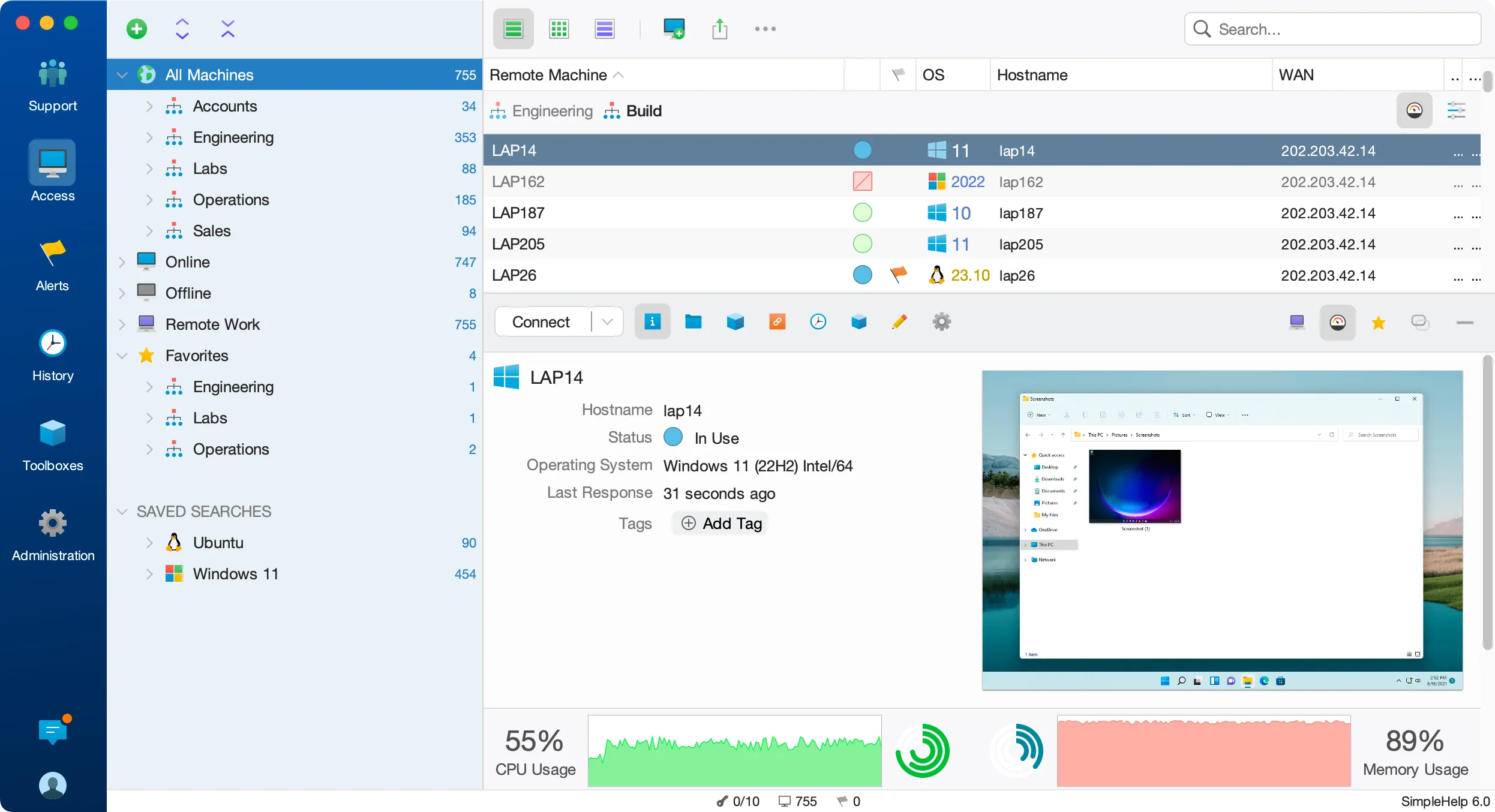
Install the remote access service on the machines you manage so authorised technicians can connect when those devices are online. Organise machines into groups to keep customer environments and teams easy to navigate.
Your machines may be in another office, at a customer site or working behind the scenes. SimpleHelp gives your team a practical way to reach them, work on them and keep them running, through your own remote access server.
Remote access lets you connect to a computer from another location. For IT teams, that means reaching an unattended workstation or server without asking someone to start a support session. For employees, it can mean connecting to an assigned office computer while working elsewhere.
Bring remote desktop access and the tools around it into one place. Find the machine, check its status and choose how you want to work.
Install the remote access service on the machines you manage so authorised technicians can connect when those devices are online. Organise machines into groups to keep customer environments and teams easy to navigate.
Transfer files, open a terminal or inspect system diagnostics. Use PowerShell and Command Prompt on Windows, or the available shells on other platforms, when a command is the quickest way to get the job done.
Use Remote Work to assign computers to employees, customers or students. Users connect through your SimpleHelp server, with centrally managed access and no separate VPN infrastructure to maintain.
Control which machines each technician can reach, add multi-factor authentication and review activity history. Configure session recording where your support and audit requirements call for it.
An employee reports that an office application is slow. Your technician finds the workstation, checks resource usage, connects to see the problem and transfers a replacement configuration file. The same console brings together the connection and the tools needed to resolve the issue.
Start with a few test devices and a workflow your team knows well.
Remote access usually starts with a machine already configured for unattended connections. Remote support often starts with a person asking for help and launching an on-demand session. SimpleHelp supports both workflows.
Yes. Remote Work lets you assign individual computers or groups of machines to users so they can connect to their own workspace through your server.
You choose: on your own infrastructure, in a private cloud or with a hosting provider. Your team manages the server and decides how it is maintained.
Help users with on-demand remote support and unattended access. SimpleHelp combines remote control, diagnostics and file transfer on your own server.
ExploreMonitor device health, create alerts and automate maintenance with self-hosted RMM. SimpleHelp combines remote machine management with support and access.
ExploreRun remote access on your own infrastructure or cloud. SimpleHelp gives you control of server location, authentication, permissions and update timing.
ExplorePut SimpleHelp to work with your own machines and technicians. Every feature, free for 30 days.
Start Free Trial

