Bundle the installer
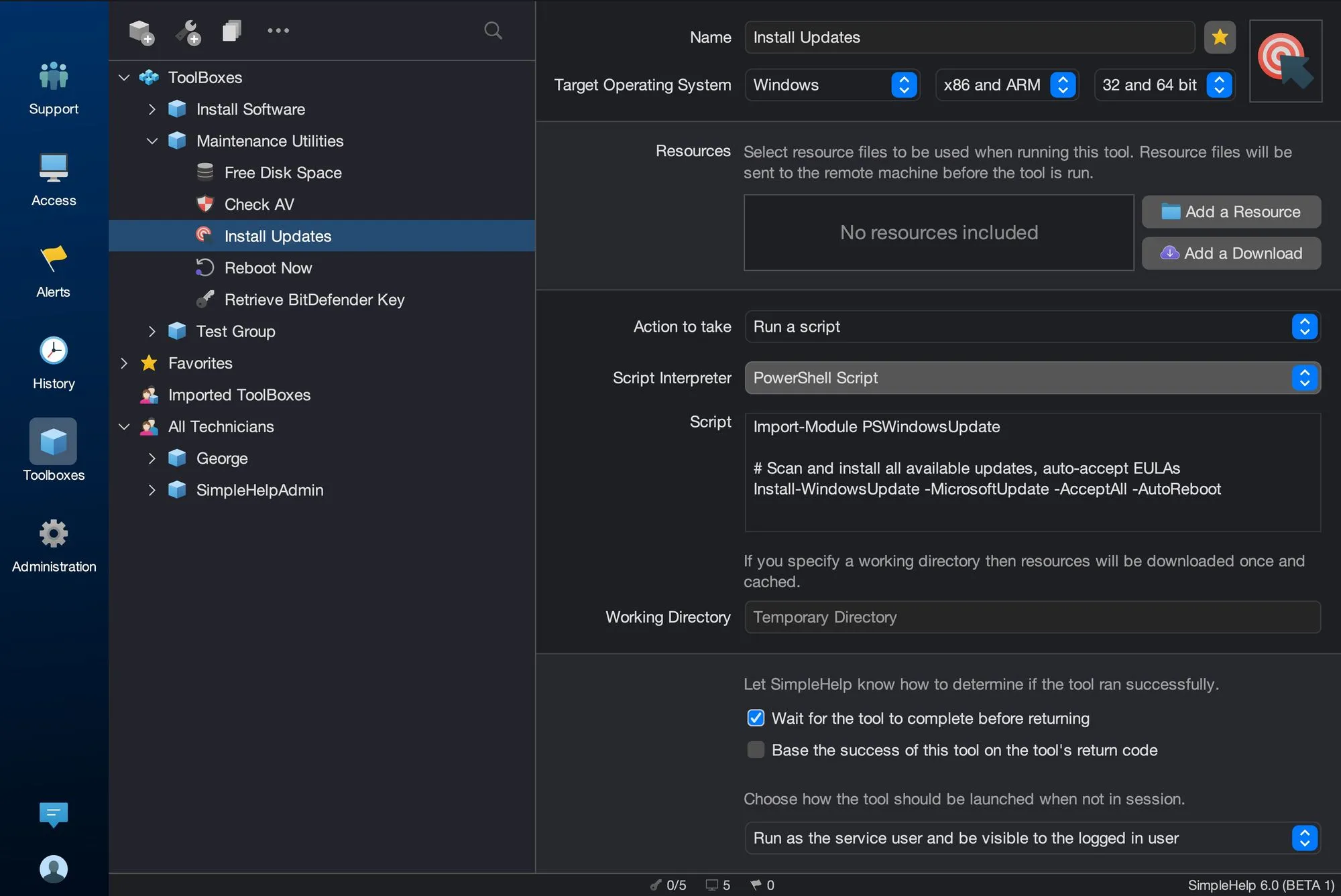
Add installers as tool resources or download them from a URL at run time, with a working directory to cache large files.
Visiting every desk to install software does not scale. SimpleHelp lets you package installers as Toolbox tools and run them across as many machines as you need, then check exactly where they succeeded.
Remote software deployment sends an installer and the command to run it to each target machine, runs it silently and reports the outcome. With SimpleHelp, the installer is bundled with a tool, so the same tool can be reused for new machines and future updates.
Use the Toolbox to deploy software repeatably and verify the outcome.
Add installers as tool resources or download them from a URL at run time, with a working directory to cache large files.
Run the install across a group without interrupting users, choosing whether it runs as the service user or the logged-in user.
Use return codes and output to see which machines succeeded and re-run on the rest.
Use Mass Deployment to push the Remote Access Service itself to machines on your network.
A company adopts a new collaboration application. IT builds a tool with the installer and silent install command, tests it on a pilot group, then runs it across every office overnight. The next morning, they re-run it only on the machines that were offline.
Start with a few test devices and a workflow your team knows well.
Yes. Build tools for each target operating system using the appropriate package and script.
Yes. Download installers from a URL at run time, and use a working directory so resources are downloaded once and cached.
SimpleHelp Toolbox is well suited to scripted software deployment and updates. It is not a dedicated patch approval and compliance system.
Fix common problems automatically when alerts fire. SimpleHelp runs your Toolbox tools in response to alerts, then notifies your team with the results.
ExploreConnect SimpleHelp to your PSA, ticketing and reporting systems. Use the Web API to query machines, monitoring data and session history from your own tools.
ExploreBuild a library of reusable IT tools with SimpleHelp Toolbox. Scripts, files, inputs and results for one machine or thousands, shared across your team.
ExplorePut SimpleHelp to work with your own machines and technicians. Every feature, free for 30 days.
Start Free Trial

