Script, files and inputs
Combine a script in your chosen language with bundled files or downloads, and prompt for inputs at run time.
Every IT team has scripts that solve real problems, scattered across laptops and shared drives. SimpleHelp Toolbox turns them into a shared library of tools that anyone with permission can run, in a session or across the fleet.
The Toolbox is SimpleHelp's built-in automation library. Each tool combines a script or command, the files it needs, any inputs it should ask for and how success is measured. Tools run inside sessions, across many machines, on a schedule or in response to alerts.
A tool captures how your best technician solves a problem, so everyone can solve it the same way.
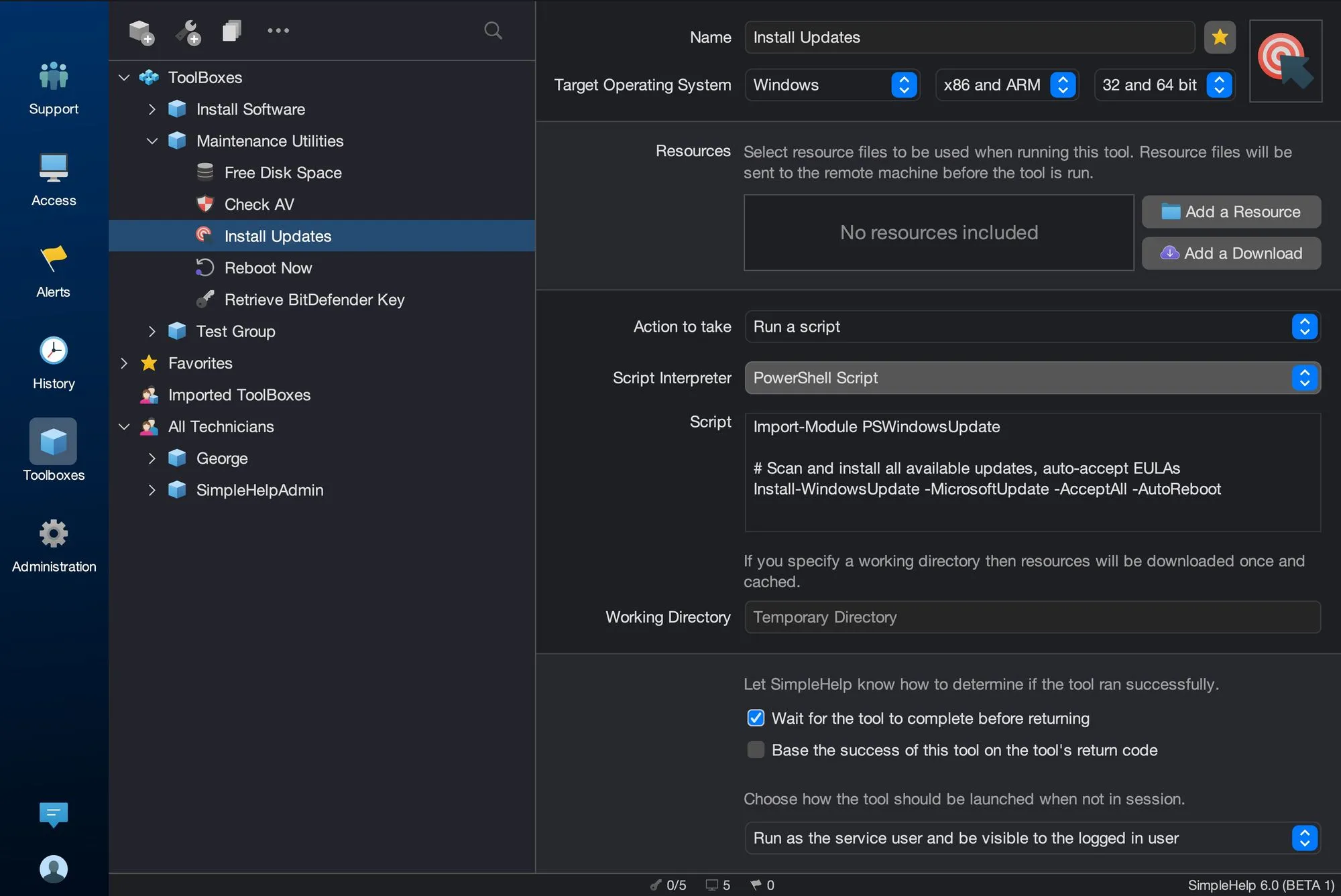
Combine a script in your chosen language with bundled files or downloads, and prompt for inputs at run time.
Arrange tools in nested toolboxes, share them with technician groups and import or export them between servers.
Run tools in a live session, in the background, across groups with Mass Toolbox, on a schedule or from an alert.
Collect output, errors and return codes from each machine, and decide what counts as success.
A senior technician writes a PowerShell script that repairs a common Outlook profile problem. They package it as a tool, test it on one machine and share it with the help desk group. First-line technicians now fix the issue in a minute, consistently, without escalating.
Start with a few test devices and a workflow your team knows well.
Windows Batch, PowerShell and VBScript; shell, Bash, Perl, Python and Ruby on Linux and macOS; and AppleScript on Mac. Custom interpreters work where installed on the target.
Yes. Export toolboxes as files and import them on other SimpleHelp servers.
Yes. Cyana can generate and edit Toolbox scripts from a plain-language description, for you to review before use.
Connect SimpleHelp to your PSA, ticketing and reporting systems. Use the Web API to query machines, monitoring data and session history from your own tools.
ExploreInstall and update software on many remote computers at once. Bundle installers with SimpleHelp Toolbox tools, run them across groups and check the results.
ExploreFix common problems automatically when alerts fire. SimpleHelp runs your Toolbox tools in response to alerts, then notifies your team with the results.
ExplorePut SimpleHelp to work with your own machines and technicians. Every feature, free for 30 days.
Start Free Trial

