Install once, connect any time
Deploy the Remote Access Service manually, silently with a preconfigured installer, or by pushing it across a network with Mass Deployment. Each machine then registers with your server and stays available.
Servers in the rack, workstations after hours, machines at a customer site with nobody nearby. SimpleHelp lets authorised technicians reach them at any time, without waiting for someone to click "accept".
Unattended remote access means connecting to a computer when no one is sitting at it. A small service runs on the remote machine and keeps it available to authorised technicians, so maintenance, troubleshooting and urgent fixes can happen whenever they are needed.
Install the Remote Access Service once and the machine appears in your Technician Console, ready when you are.
Deploy the Remote Access Service manually, silently with a preconfigured installer, or by pushing it across a network with Mass Deployment. Each machine then registers with your server and stays available.
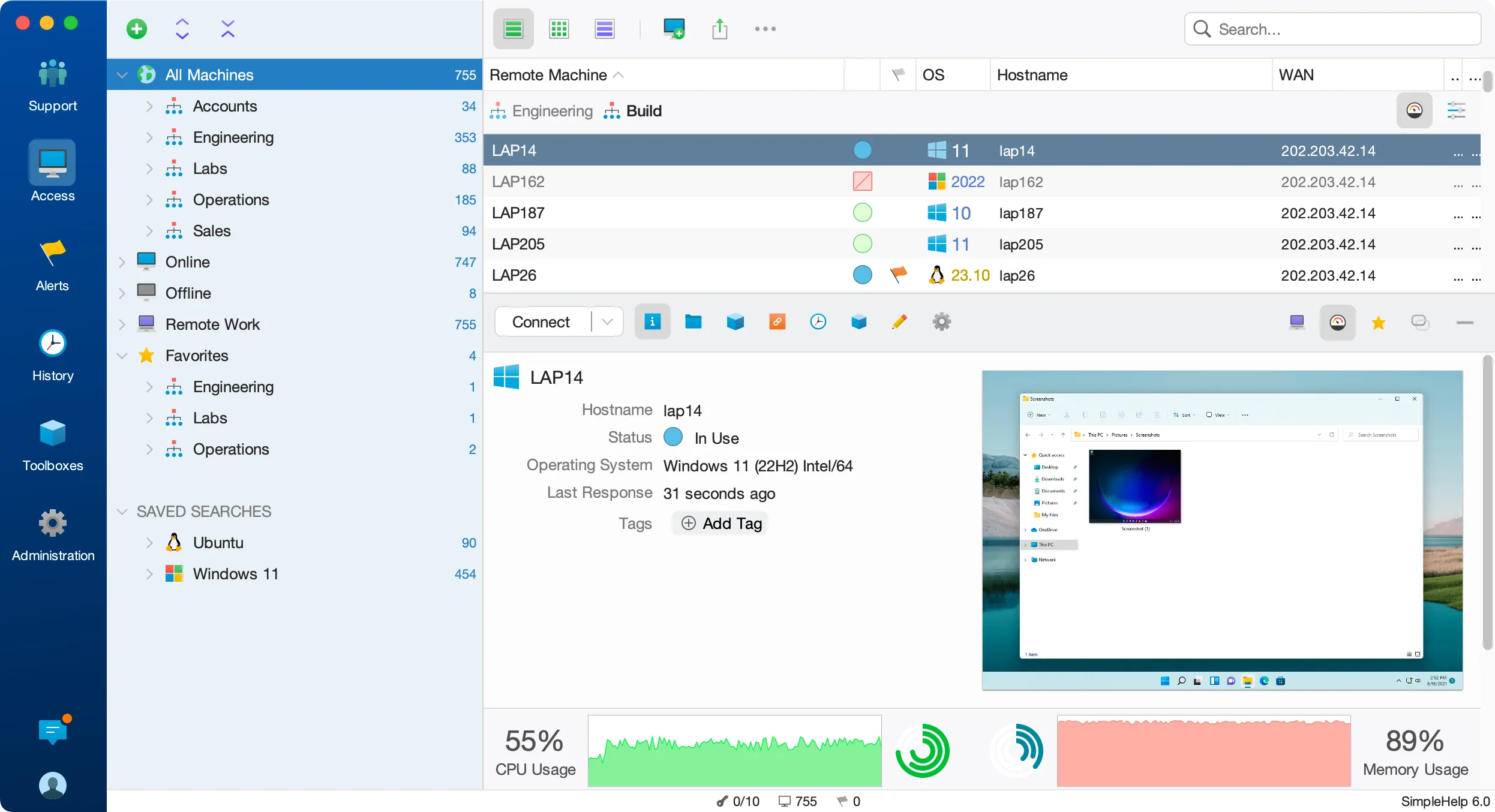
Organise machines into nested groups by customer, site or role. Search and filter by name, operating system or status, and see live resource usage before you connect.
Open a terminal, transfer files, inspect processes and services, or run a Toolbox tool in the background without taking over the desktop.
Decide which technicians can reach which machines, require multi-factor authentication and review every connection in History.
A database server needs a configuration change once the office has closed. Your technician finds it in the Access tab, checks its resource usage, opens a terminal session and applies the change. The work is logged against the technician, and nobody has to stay late on site to let them in.
Start with a few test devices and a workflow your team knows well.
No. Once the Remote Access Service is installed, authorised technicians can connect whenever the machine is online. You can also require a logged-in user's permission before a session starts.
SimpleHelp provides Remote Access Services for Windows, macOS and Linux. Some platforms, including macOS and Linux Wayland desktops, need operating system permissions for screen capture and control.
SimpleHelp is licensed by concurrent sessions, not by device. Standard includes up to 1,000 Remote Access machines, and Business and Enterprise include an unlimited number.
Open PowerShell, Command Prompt or a Linux and macOS shell on remote machines. SimpleHelp terminal sessions work alongside remote desktop on your own server.
ExploreRecord remote sessions and keep a detailed history of who connected, when and what they did. SimpleHelp stores recordings and logs on your own infrastructure.
ExploreSign technicians in with Active Directory, LDAP, Entra ID, OpenID Connect or RADIUS. Manage remote access centrally and add MFA with SimpleHelp.
ExplorePut SimpleHelp to work with your own machines and technicians. Every feature, free for 30 days.
Start Free Trial

