Your shell of choice
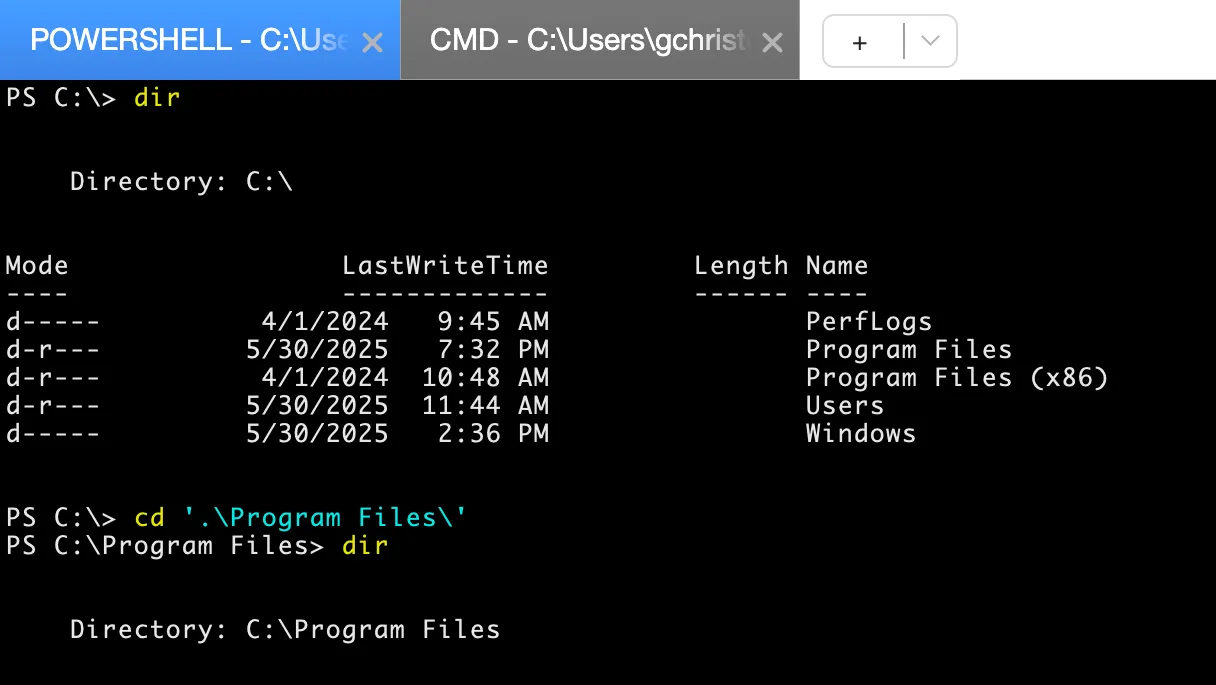
Use PowerShell or Command Prompt on Windows, and the shells available on Linux and macOS.
Sometimes the quickest route to a fix is a command. SimpleHelp gives technicians a dedicated terminal on remote machines, whether or not anyone is using the desktop.
Remote command line access opens a shell on another computer, such as PowerShell on Windows or Bash on Linux, so you can run commands as though you were sitting at its keyboard. It is ideal for servers, scripting and work that should not disturb a logged-in user.
Open a dedicated terminal session or use the terminal view inside any remote control session.
Use PowerShell or Command Prompt on Windows, and the shells available on Linux and macOS.
Work on headless servers and machines where a graphical session is unavailable or unnecessary.
Run diagnostics and fixes in the background while the user keeps working on their desktop.
Restrict terminal access by technician group and keep a record of each session in History.
Users report that a line-of-business application has stopped responding. The technician opens a terminal on the application server, checks the service status, restarts it and confirms it is running again, all without a remote desktop session.
Start with a few test devices and a workflow your team knows well.
Yes. Every remote control session includes a terminal view, and you can also open dedicated terminal sessions separately.
No. Terminal access uses the SimpleHelp Remote Access Service, so you do not need to open SSH or RDP ports on the remote machine.
Yes. Turn common commands into Toolbox tools so your team can run them consistently on one machine or many.
Help customers in minutes. They download a small support app and join your queue with no account to create. Branded, self-hosted and simple for first-time callers.
ExplorePut your own name, logo and colours on remote support. SimpleHelp lets you brand the customer app, download pages and web pages, on your own domain and server.
ExploreRun PowerShell, Bash, Python and other scripts across many remote computers at once. Collect output and return codes, schedule runs and repeat with one click.
ExplorePut SimpleHelp to work with your own machines and technicians. Every feature, free for 30 days.
Start Free Trial

