Use the languages you already know
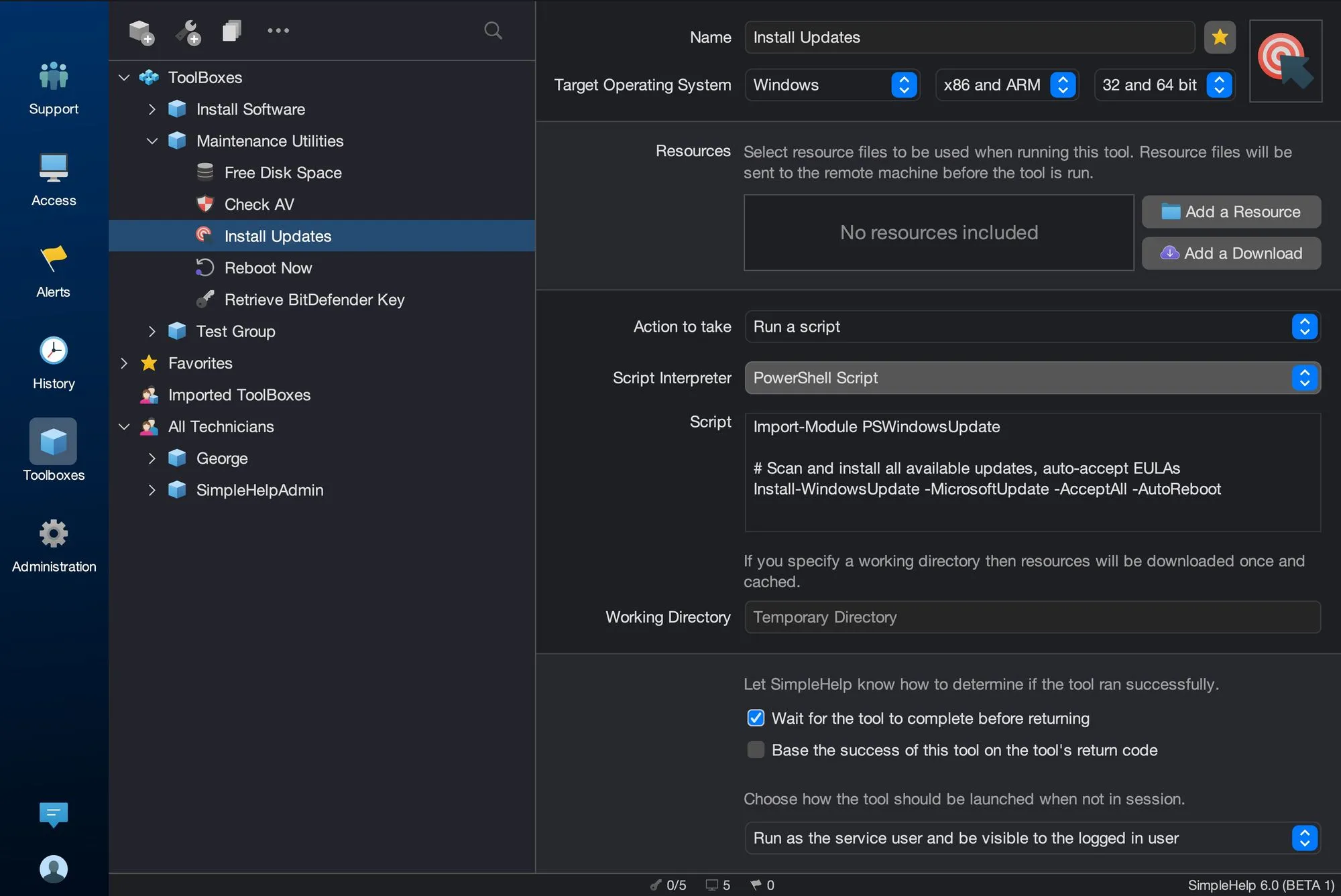
Run Batch, PowerShell or VBScript on Windows; shell, Bash, Perl, Python or Ruby on Linux and macOS; or AppleScript on Mac. Custom interpreters are supported where installed.
Stop repeating the same fix one machine at a time. SimpleHelp lets you run a script across hundreds of computers at once, collect the results and keep the tool ready for next time.
You need three things: a way to reach each machine, a way to send the script and any files it needs, and a way to collect what happened. SimpleHelp's Toolbox handles all three, so a script becomes a reusable tool you can point at one machine or a whole group.
Wrap your existing scripts in a Toolbox tool and they become something your whole team can run safely and consistently.
Run Batch, PowerShell or VBScript on Windows; shell, Bash, Perl, Python or Ruby on Linux and macOS; or AppleScript on Mac. Custom interpreters are supported where installed.
Select a group or a filtered set of machines and run the tool across all of them with Mass Toolbox, without opening a session on each.
Collect standard output, errors and return codes for each machine, so you can spot failures quickly and follow up where needed.
Run tools on a schedule for routine maintenance or trigger them from alerts, and keep them in shared toolboxes for your whole team.
A vendor publishes a registry change that every Windows workstation needs. A technician adds the PowerShell script to a new tool, tests it on one machine, then runs it across three hundred. The results show which machines were offline, so the same tool can be run again later on just those.
Start with a few test devices and a workflow your team knows well.
Yes. Add resources such as installers, configuration files or folders, or download files from a URL. SimpleHelp sends them to the remote machine before the tool runs.
Yes. Tools can present input forms so technicians supply values such as a user name or a path at run time.
In Session Toolbox is included in all editions. Mass Toolbox, monitoring, alerts and scheduled automation are part of the Business and Enterprise editions.
Wake sleeping or powered-off computers remotely, then connect. SimpleHelp sends Wake-on-LAN packets through an online machine on the same network.
ExploreConnect to unattended computers and servers at any time. SimpleHelp unattended access runs through your own server, with permissions, MFA and full history.
ExploreHelp customers in minutes. They download a small support app and join your queue with no account to create. Branded, self-hosted and simple for first-time callers.
ExplorePut SimpleHelp to work with your own machines and technicians. Every feature, free for 30 days.
Start Free Trial

