Context from the machine
Cyana pulls information from the connected machine, so its suggestions are based on what is actually happening.
Imagine a senior technician beside every member of your team. Cyana works inside SimpleHelp sessions, gathering context from the connected machine, running diagnostics and suggesting the next step.
An AI support assistant helps technicians understand and fix problems faster. It can check logs, services, processes and settings on the machine being supported, explain what it finds in plain language and propose fixes for the technician to apply.
Help newer technicians resolve more issues and experienced technicians work faster.
Cyana pulls information from the connected machine, so its suggestions are based on what is actually happening.
Ask "why is this machine slow?" or "is anything suspicious running?" and get a structured answer.
Cyana proposes commands and changes; technicians review them before they make changes.
Generate clear summaries and reports of what was checked and fixed.
A user reports their laptop has become very slow. A first-line technician connects and asks Cyana to investigate. Cyana checks processes, startup items and disk usage, identifies a runaway sync client and suggests the fix. The technician applies it and closes the ticket without escalation.
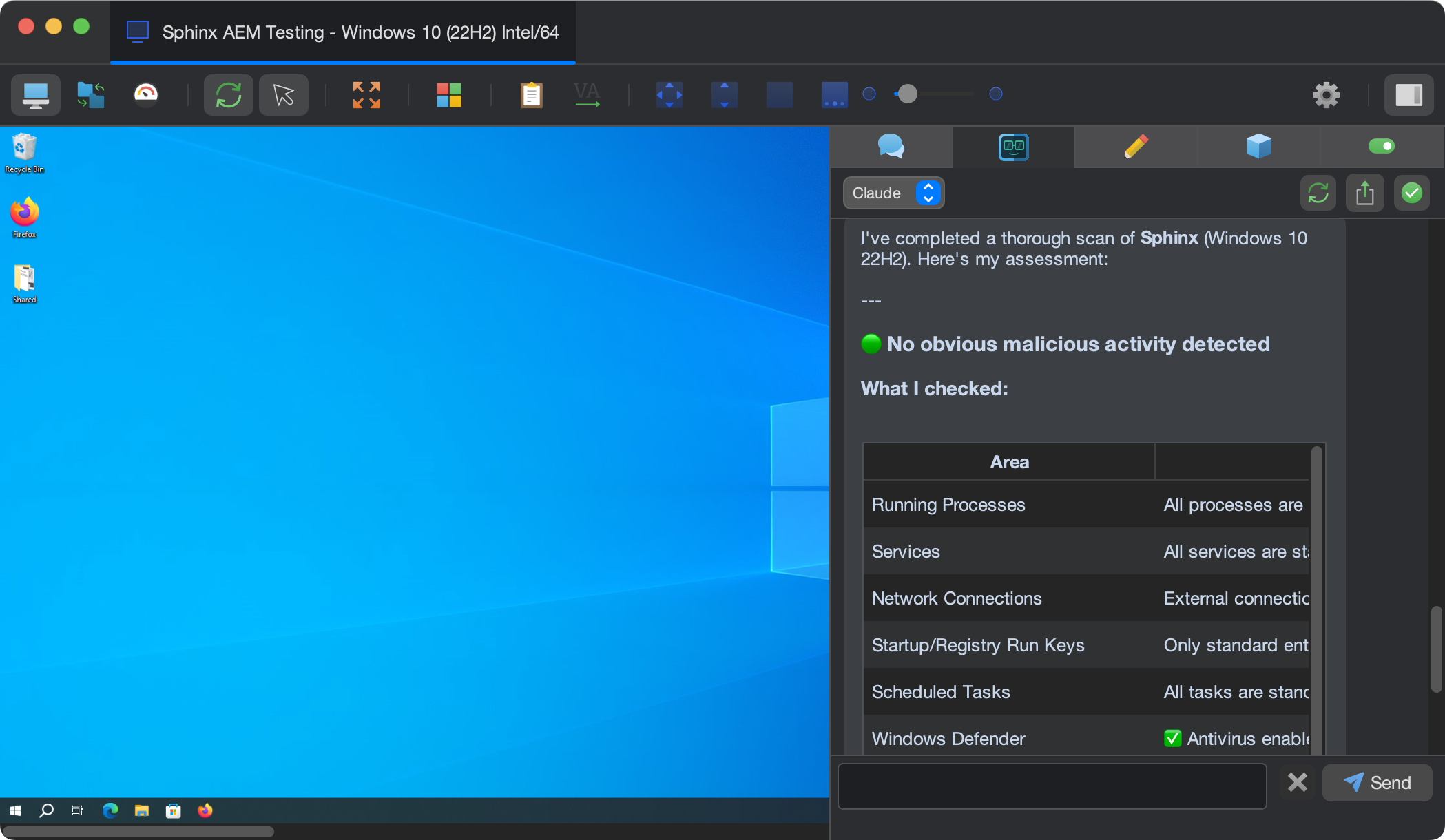
Start with a few test devices and a workflow your team knows well.
Cyana works with information it gathers from the machine through SimpleHelp, such as processes, services and logs, and can capture screenshots where needed.
Yes. Connect Cyana to an on-premise model through a compatible endpoint so data stays in your network.
Yes. Cyana conversations and tool activity are saved in history and can be exported.
Ask Cyana for a fleet health check or inventory and get a clear report in seconds. Scope new customers, review estates and share findings.
ExploreUse AI for IT operations without sending data to a cloud you do not choose. Cyana works with on-premise models and the provider of your choice.
ExploreHelp your MSP do more with the same team. Cyana brings AI fleet queries, diagnostics and automation to SimpleHelp, at $0.20 per machine per month.
ExplorePut SimpleHelp to work with your own machines and technicians. Every feature, free for 30 days.
Start Free Trial

