SimpleHelp Prerelease Builds
This page provides access to prerelease versions of SimpleHelp for testing and evaluation. These builds include upcoming features, fixes, and improvements that are still being validated before full release.
Important Notice
Prerelease builds are not final production releases. They may contain known issues, incomplete functionality, or behavior that changes before release. Please do not deploy prerelease builds to critical production environments unless you are prepared for potential instability.
Feedback
We appreciate any feedback you wish to share. Please email us and let us know your thoughts.
Download SimpleHelp 6.0 GA
Before Downloading...
Please acknowledge and accept the following before downloading SimpleHelp.
Thank you! Your submission has been received!
Oops! Something went wrong while submitting the form.


What's New in SimpleHelp 6.0
SimpleHelp 6.0 is a new major release of SimpleHelp and includes changes across the product. We value any feedback you have but we would particularly appreciate evaluation of the following features.
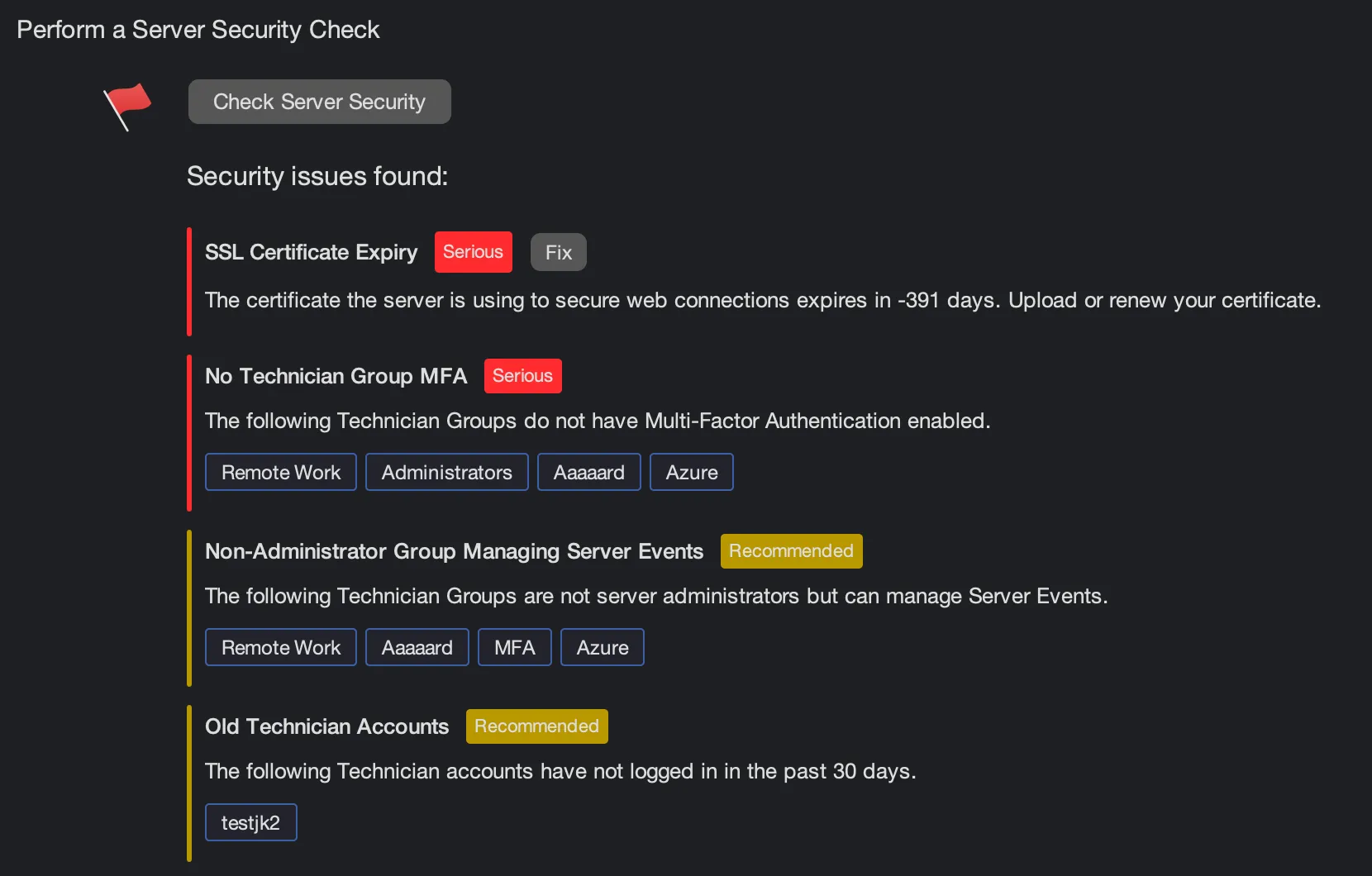
Security Audit
Perform a Security Audit of the settings for your SimpleHelp server. Access the audit in Administration > Server Health.
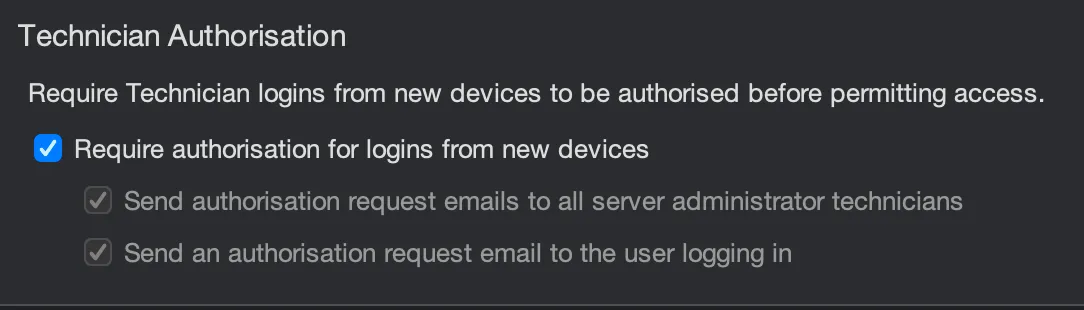
New Login Authorisation
Require authorisation for new Technician logins from unidentified devices. Server administrators will be notified of the new login, and options exist to email administrators and the user logging in for authorisation. Access this feature in Administration > Login Security. The list of devices a Technician has used can be seen by using the Show Devices action in Administration > Technicians.

Review Remote Access Services
New Remote Access Services that register with your SimpleHelp server will be placed in an Awaiting Review group. Services can only be connected to once approved. Access this feature in Administration > Remote Access Services.
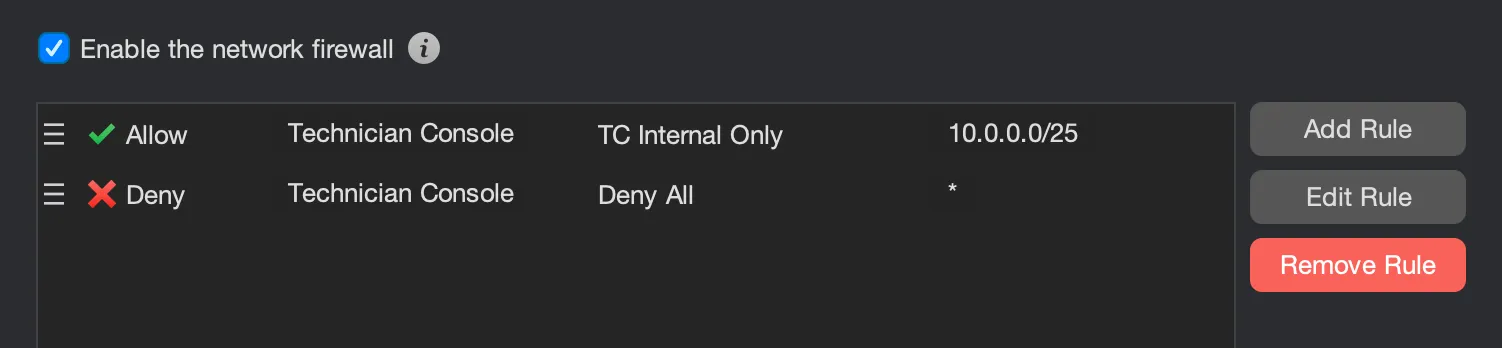
Application Firewall
SimpleHelp 6.0 includes a built-in application-level firewall that provides more fine-grained control over what types of incoming connections should be accepted by the server. This can be enabled in Administration > Firewall.

Password Complexity
Set and enforce password complexity requirements for local account logins. This can be enabled in Administration > Login Security and configured on a per-group level in Administration > Groups > Authentication. Administrators can also force a technician to reset their password by using the Force Password Reset action on the account.
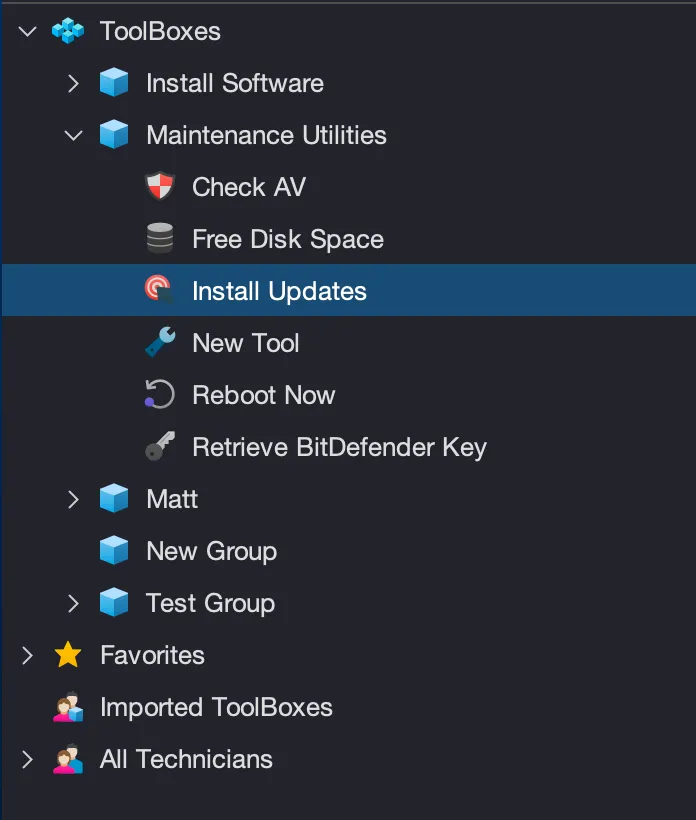
ToolBox Improvements
Tools can now be managed using a group hierarchy which supports:
- Dragging tools from one group to another.
- Sharing tools with other technicians, with read or read-write access.
- Favourite Tools that are easily run on remote machines using a shortcut launcher.
- Administrators can now manage the tools of other Technicians.
- A new shortcut allows a tool to easily be re-run.
- Tool executions appear in the History tab, alongside session history events.
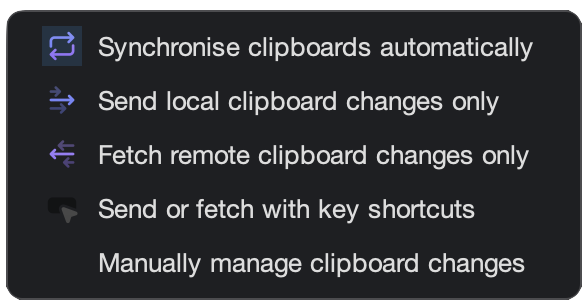
Clipboard Synchronisation
Sessions can now monitor and react to clipboard changes, and technicians can decide how they want clipboard contents to synchronise.
Other Notable Changes
For a comprehensive list of fixes and enhancements please visit our Release News page.
- WebTech Improvements - a number of improvements have been introduced to the WebTech browser-based access from both desktop and mobile devices.
- Remote Support Onboarding - A new onboarding wizard for Remote Support users provides an improved startup experience for customers. Users are prompted to manage macOS permissions and allow elevation more clearly.
- Screen Capture - Screen capture is now a per-display process, providing better support for multi-monitor scaling, macOS display capture and display clarity.
- Logging Improvements - SimpleHelp now includes improved logging capabilities, with separate logs for:
- Technician access, logins and logouts.
- HTTP-style access logs for HTTP requests.
- Configuration change events.
- Firewall events.
- SimpleHelpAdmin Removal - the default SimpleHelpAdmin user is no longer created for new server installations. Additionally, when migrating to 6.0 the existing SimpleHelpAdmin account is migrated to a standard Technician account, and the Security Audit will suggest removing it.
- Silent Reconnect Improvement - silent reconnects on logins, logouts and remote reboots now connect more reliably.
- Administration Improvements - various ease-of-use improvements to Administration:
- Easily see technicians in a particular group.
- IP restrictions now include descriptions.
- Group-authenticated user distinction has been removed making group management easier.
- New Technician account panel layout with available actions more clearly presented.
- Added the ability to remotely force a user to reset their password.
- New table in the authentication services to show whether a service is on / off for a particular group.
- Polish and Brazilian Language Support - Polish and Brazilian Portuguese are now supported for all bundled applications.
- Upgraded server runtime and dependencies
- Access Panel Improvements
- Support for column selection, reordering and sorting.
- Group labels can be clicked to make hierarchy navigation easier.
- More readable presentation for network interfaces and disks.


