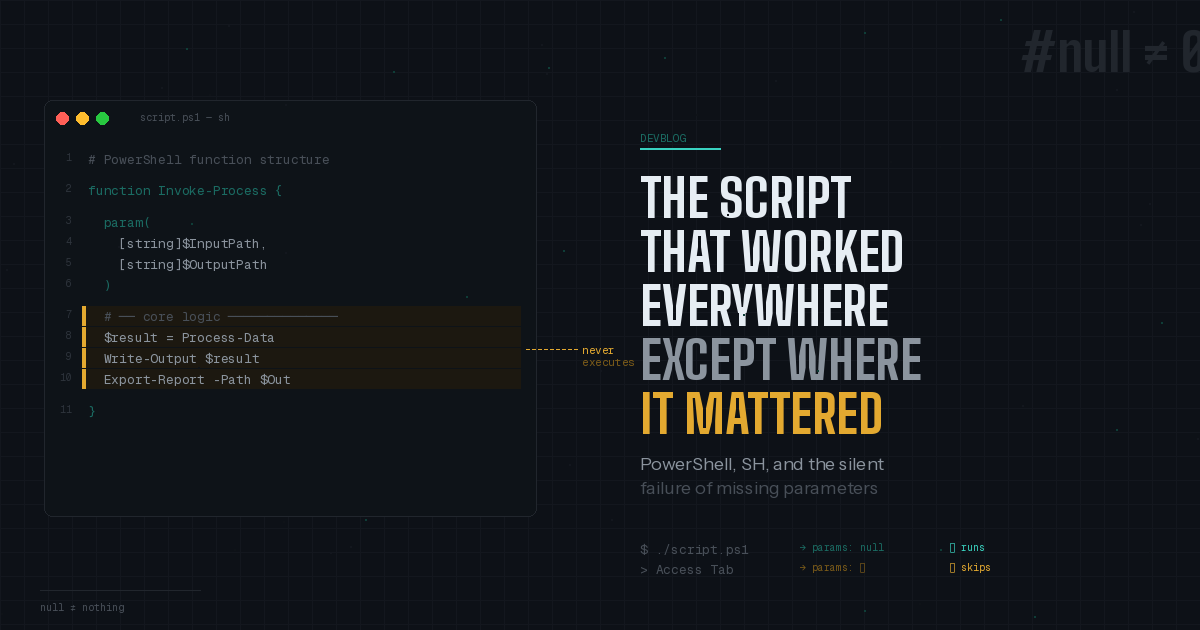
Have you ever experienced that feeling when a customer tells you “everything is fine and running local but not inside the Tool (where it’s supposed to be working)”? The first thought of us all is the classic “have you tried turning it off and on again?” Although, it didn’t seem like this was going to be one of those occasions.
The Setup
A customer was running a simple PowerShell script, nothing fancy, where you’d never think twice about it since you’ve wrote/executed them hundreds of times. Standard function, param block, some logic in between and output at the end. They were running the script through SimpleHelp, starting it through the Access tab. Now we were seeing that the middle section, where the logic is, wasn’t running. No errors or warnings were displayed, just silence where there would/should have been an output.
But the strange thing was that the script could run and output locally. From the console (through cmd), it worked perfectly every time as intended.
The Head-Scratcher
So what was actually going on here? Same script, same code, two completely different outcomes depending on the method of execution. This was the kind of thing that makes you stare into the screen, daze and wonder if the computer has a mind of it’s own. Yet the answer turned out to be far more subtle.
PowerShell’s function structure has an implicit expectation embedded into it: if you have a param block, you’re probably going to pass parameters. The structure essentially gates the main body of the function behind parameter presence.
When running the script locally, those environment pass null parameters; not "No" parameters. The function structure sees the parameters, looks the other way and carries on to execute the body. But when running this in the Access tab, it doesn’t pass parameters at all, not even the null parameter; nothing. When PowerShell sees this, it essentially feels there’s no need to execute the middle section of the function. So it doesn’t.
The behaviour is tied to how the script is invoke rather than what is in the script, and therefore, makes you stare at the code most of the day while never seeing the problem pop out at you. It’s like the difference between handing someone an empty envelope and handing them nothing at all.
The Fix
I mean once the issue is understood, the fix is pretty straight forward. The script needs to be restructured so that the main logic isn’t gated behind implicit parameter presence. When you can’t guarantee how the function is called, it’s never good to simply rely on the function structure.
A few approaches that worked:
- Moving the core logic outside the function body allows it to execute regardless of parameter handling.
- Adding explicit default values for your parameters so the function never sees "nothing."
- Check for the execution context and handle the no-parameter case explicitly.
The Takeaway
This was definitely a ticket that reminded me why the work we do remains interesting. Fundamental differences in how two execution environments treat the concept of “no input” and PowerShell doing, more or less, what its told to; even though that meant sitting idle.
Definitely a lesson that’s worth taking away; Always test in every environment.
If you’ve ever run into these sorts of issues, we’d love to hear about it.