The Dialog Standing Between You and a Security Incident
A confirmation dialog might seem like a minor interruption, but in remote support it is one of the most important security controls in the flow. This post looks at why that single prompt carries far more weight than most technicians give it credit for.
Kimanni Bramble
There is a tendency to look at a confirmation dialog and see an interruption. Something to dismiss so you can get back to the actual work. But in remote support, that moment of pause is doing something genuinely important, and the threats it is designed to address go well beyond a simple mistake.
Remote access tools sit in a uniquely sensitive position. A technician connecting to a machine has, by definition, been granted a level of trust and access that most software never gets close to. That makes the act of connecting itself a security event, and one worth treating seriously every single time.
What the Dialog Is Really Asking You to Do
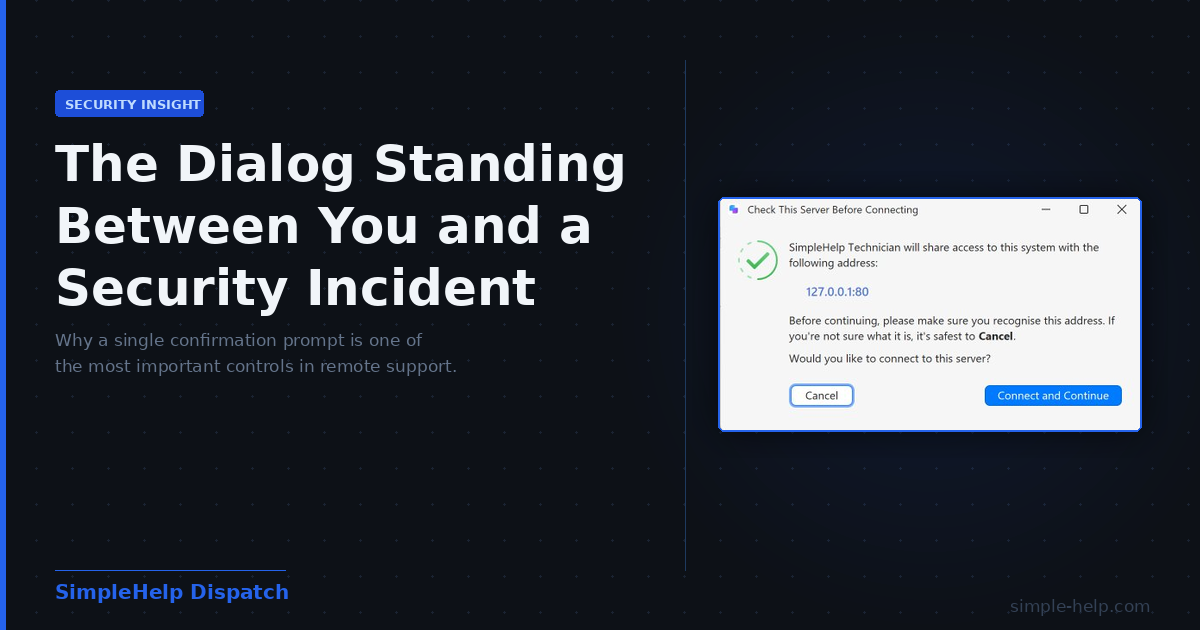
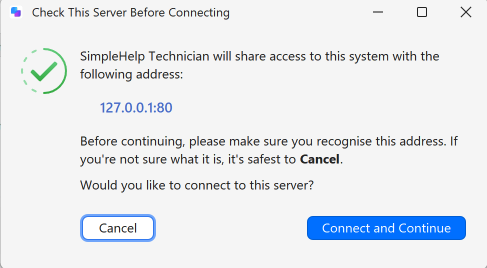
When SimpleHelp prompts a technician with "Check This Server Before Connecting", it is asking for more than a click. It is asking the technician to stop, read the server address on screen, and make a conscious decision about whether that address is one they recognise and trust.
Before any session is established, before any access is granted, the technician is shown exactly where they are about to connect. The address is displayed clearly, the risk is acknowledged plainly, and the choice to proceed is entirely theirs. That structure is deliberate. It places the verification in the hands of the person best placed to make it.
App Connection Dialog
The Threats This Prompt Is Quietly Defending Against
The value of that verification moment becomes clearer when you consider the range of scenarios it is designed to catch.
Phishing and social engineering are the most obvious. Attackers targeting IT professionals increasingly craft convincing fake portals, spoofed addresses and manipulated workflows designed to get a technician to connect somewhere they should not. Remote access tools are a high value target because of what a successful connection offers. Sensitive data, live system access, a foothold inside an otherwise secure environment. A confirmation step that forces the technician to read the destination address is a straightforward defence against this.
But the threats are not all malicious in origin. Misconfiguration is a real and common risk. A technician connecting to the wrong customer environment, or to a test server instead of a production one, can cause serious problems without any bad actor being involved. Human error under time pressure is responsible for a significant proportion of security incidents, and a prompt that creates a brief moment of verification reduces that risk materially.
There is also the question of unauthorised or unexpected servers. In larger organisations, technicians may encounter connection requests that appear legitimate on the surface but originate from an environment they have not worked with before. The confirmation prompt creates a natural checkpoint to question whether the connection is expected before committing to it.
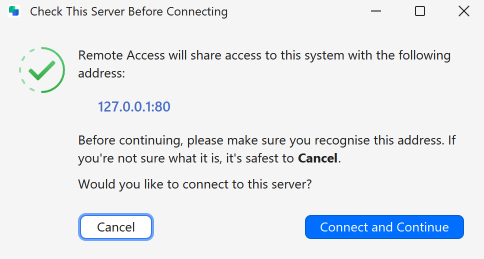
Remote Access Confirmation Dialog
Part of a Layered Security Approach
The confirmation dialog does not stand alone. It is one layer in a broader set of controls that SimpleHelp builds around the connection flow.
SimpleHelp 6.0 introduced a built in Security Audit tool that analyses your server configuration and flags issues by severity. Technician Device Authorisation holds login attempts from unrecognised devices for approval before they are allowed through. Remote Access Service Approval places new service installations in a triage group until an administrator has verified them. Together these controls ensure that access happens only when it is intentional, expected and verified at multiple points.
The confirmation dialog fits into that same thinking. It is the human layer in a stack of protections, and arguably the most important one because it is the point where genuine judgement is applied.
The Habit That Quietly Undermines the Protection
Here is the honest problem with confirmation dialogs. They only work if people actually read them.
The instinct to click through a familiar prompt without stopping is entirely understandable. Most technicians have seen the server confirmation many times and the vast majority of those sessions have been completely routine. The habit of treating it as a formality develops naturally.
That habit is also, unfortunately, exactly the condition that makes the prompt ineffective. Whether the risk is a phishing attempt, a misconfigured connection or an unexpected server, the protection only applies if the technician actually looks at the address before proceeding.
Treating the confirmation as a genuine check rather than a procedural box to tick is a small shift in behaviour with a meaningful security payoff. Read the address. Confirm it is what you expect. Then proceed. On the session where something is not right, that habit is what protects you and your customer.
Small Prompts, Serious Purpose
Confirmation dialogs do not get much attention in conversations about security. They are not as prominent as endpoint detection tools or multi factor authentication. They do not feature in breach reports.
But they represent something important about how effective security actually works. The best protections are the ones built quietly into the normal flow of work, prompting the right behaviour at exactly the right moment without requiring anything elaborate from the person using them.
That small dialog asking you to check the server address before connecting is doing exactly that. It deserves more credit than it gets.
SimpleHelp is a unified remote support and RMM platform, built as a single application since 2007. Learn more at simple-help.com.