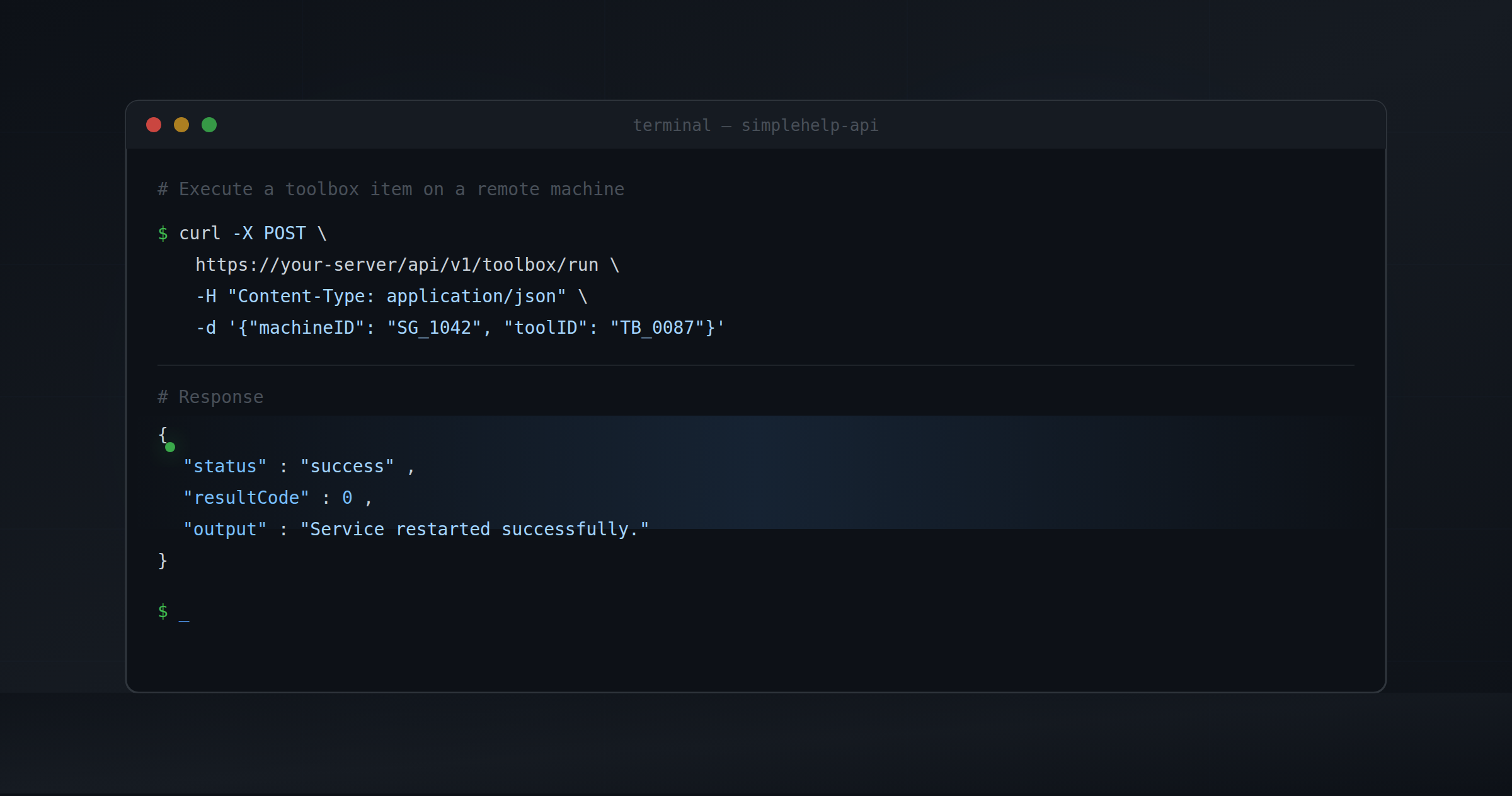
The Toolbox has always been one of the most powerful parts of SimpleHelp. But right now, running a tool means opening the Technician Console, finding the machine, and clicking run. That's fine for one-off tasks. It doesn't work when you want to trigger a tool from a ticket, a script, or an external system.An upcoming update will fix that.
Every toolbox item will be assigned a unique Toolbox Item ID, and a new set of HTTP API endpoints will let you interact with the Toolbox programmatically, using the same API token and REST style conventions that already power the SimpleHelp Integration API. Requests follow the same format you already use across Technician, Machine, and Session queries:
https://host:port/api/v1/<query>
JSON POST bodies, standard HTTP response codes, and the same { success, reason } error structure throughout. If you've already integrated with the existing API, the Toolbox endpoints will feel immediately familiar.
Four Things You'll Be Able to Do
List the available tools for a user
A new endpoint returns the tools available to a given technician, similar to how /technicians/list works today. You'll get back each tool's Toolbox Item ID, name, target operating system, and the metadata needed to decide what to run. This lets your external system discover available tools dynamically, without hardcoding IDs into your integration.
Start a tool run
To kick off a run, POST a Toolbox Item ID alongside one or more target machine IDs, the same machineID identifiers already used throughout the Machine Queries. The server starts execution immediately and returns a run ID. Like the rest of the API, the call returns right away; the run continues asynchronously in the background.
Check progress while it's running
Using that run ID, a progress endpoint lets you poll the current state of the run: which machines have finished, which are still executing, and which have errored. This mirrors the pattern already used in Session Queries, where you check active session state without holding a persistent connection open. A tool run might finish in seconds on a single machine, or take hours across a thousand. The async design handles both without any change to how you call it.
Get the results when it's done
Once a run completes, or at any point for machines that have already finished, a results endpoint returns output, return codes, and success/failure status for each targeted machine as a structured JSON response, consistent with how History Queries return per-session detail.
What You'll Be Able to Build
PSA and helpdesk integrations: Wire a button directly into your ticket UI. When a ticket is raised for a failed service, a technician can trigger a restart without leaving the helpdesk. The result gets appended to the ticket automatically.
Onboarding and provisioning workflows: As part of a new machine setup flow, automatically run diagnostic scripts, install required software, and validate the environment; all orchestrated by your existing provisioning system.
Fleet-wide operations from scheduled jobs: Schedule a nightly maintenance script across your entire estate from a cron job or task scheduler. Poll for completion, log the results, and alert on failures; no manual intervention, no Technician Console required.
Custom operations portals: Build an internal dashboard where your ops team can kick off approved maintenance tasks, track progress in real time across multiple machines, and see a consolidated results view; all without granting direct access to SimpleHelp itself.
The Toolbox will no longer be something a technician runs manually. It'll be something your infrastructure can call on demand; triggered from tickets, pipelines, monitoring systems, or anything else that can make an HTTP request.
Stay Tuned
We'll share full API documentation and integration details when the update is available. In the meantime, if you have feedback or specific use cases you'd like us to hear about, reach out at [email protected].
SimpleHelp is a unified remote support and RMM platform, designed and built as one application since 2007. Now with AI powered fleet management through Cyana. Learn more at simple-help.com.