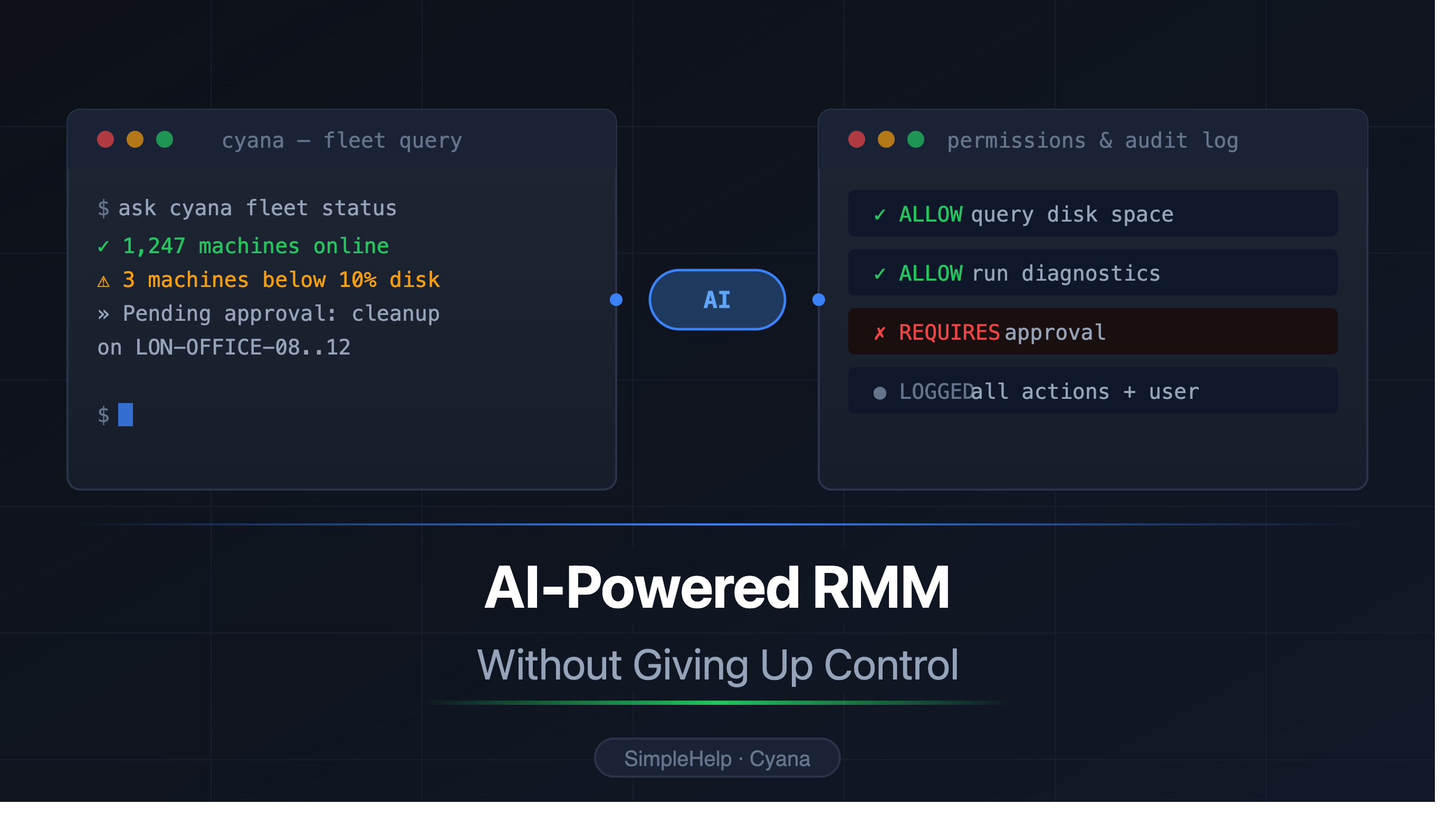
Cyana is SimpleHelp's AI assistant that brings AI-powered remote monitoring and management (RMM) to IT technicians and MSPs, allowing them to query and manage endpoints through natural language without sacrificing control
Antony
Remote support and management has always been about visibility and action. You watch your network, you spot the machine that needs attention, and you do something about it. The work is critical, but a lot of it is slow; filtering dashboards, checking one endpoint at a time, writing the same commands again and again.
AI changes the interface, not the job. Instead of manually hunting through screens, a technician can ask a question across a group of machines and get an answer, then review a suggested action before anything runs. That is the promise of AI-powered RMM, and it is genuinely useful and freeing.
It also raises an obvious concern. Endpoint tools are powerful, and the machines they reach are often sensitive. Letting an AI model loose across that estate is not something most IT teams or MSPs are willing (or should be willing) to do. So the real question is not whether AI can help with RMM. It is whether you can get the benefits of the power it can bring without giving up control.
Cyana is built to provide exactly that.
RMM is getting an AI layer
Cyana is SimpleHelp's AI assistant for remote support and remote management. It runs inside the SimpleHelp unified platform you already use, on the same server, the same live endpoint connections and the same permission model.
Instead of clicking through dashboards, a technician can ask Cyana to:
review the health of a group of machines;
find endpoints with low disk space, failed services or missing updates;
investigate an alert or some unusual behaviour;
collect and summarise logs from affected machines;
compare configuration or patch state across a site;
prepare a command or script for review before it runs.
The point is not to replace the technician. It is to provide them with a more powerful tool so the technician can spend their time deciding and taking action on what matters, rather than laboriously gathering the information needed to decide.
Why AI-powered RMM needs guardrails
The same capability that makes AI useful in RMM is what makes it risky without controls. An assistant that can read system state across a fleet could, in the wrong configuration, also change that state across a fleet.
This is a primary concern whether you are a small internal IT team, a managed service provider, a healthcare organisation or a government supplier. Production systems with customer endpoints, critical systems, machines that hold confidential or regulated data. AI assistance has to be useful while keeping the technician firmly in the driving seat.
We built Cyana with this as a core concept.
Safety and security layers
At the centre of Cyana's safety design is technician review. Rather than granting broad latitude to act, Cyana defaults to no access without tech approval.
Without SimpleHelp's carefully constructed access points working through the platform, Cyana has no more ability than a standard chat bot.
Cyana's access is gated, filtered and analysed in multiple layers to provide a comprehensive safety net for a technician working with such a powerful tool.
At the highest level, the safety features are grouped as follows:
Technician approval - preventing Cyana from accessing any of the platform without explicit authorisation from a technician.
Automated review - automatic review by a secondary agent of any potentially destructive (non-read-only) action that Cyana might take.
Ingress sanitisation - deterministic preparation of inputs to Cyana to avoid prompt injection.
Egress filtering - deterministic review of Cyana output to catch potential sensitive data.
Semantic firewalls - using zero-access secondary agents as a means to gather information for Cyana and present findings in such a way that prompt injections are caught at the zero access outer boundary and cannot filter through to Cyana.
These multiple layers of security and safety work cohesively with each other to provide the technician with the means to easily work with and manage a powerful tool like Cyana.
A Technician's perspective
Some of these layers work under the hood, silently restricting, reviewing or sanitising inputs and outputs to Cyana. Others are designed to work with the technician.
From the technician's perspective, Cyana appears as a contextual chat window in SimpleHelp:
Cyana Command - here Cyana is given tools to access the broad platform and network, all of which are gated by the technician. The technician can choose to leave access as the default and manually review each step Cyana takes before approval. Alternatively they can enable access to granular sets of capabilities which they think are appropriate to the context such as read-only machine info via a permissions menu, and optionally switch on and off access to their own machine. Each action Cyana attempts to take is reviewed by a secondary agent with no access and trimmed input data, and a traffic light system is used to help the provide feedback for the technician to aid them with their decisions.
Cyana In Session - here Cyana is your assistant within a particular session to a remote machine. Cyana here has access to the specific remote machine only, and again only if explicitly granted by the technician. The same automated review with traffic light system and granular permissions are built in to the chat pane. If the model has computer control capabilities these can also be granted by the technician.
Cyana Toolbox - here Cyana can help you create, review or adjust scripts within the SimpleHelp toolbox. Cyana has no broad access in this mode and is purely there to help you build useful tools in SimpleHelp.
Automated review traffic light system
Automated review serves two purposes. On the one hand it provides a summary and simplified risk analysis of an action Cyana wishes to take to help the technician make a decision. On the other it also acts as an additional layer of review blocking erroneous or high risk actions, even when a technician has set permissioned approval for that set of actions.
The review presents as a simple recommendation to either accept, scrutinise, or halt:
OK (Green): the action looks consistent with the request and low risk in the current context.
Caution (Yellow): the action may be reasonable, but the technician should look at the details carefully.
Warning (Red): the action looks potentially destructive, too broad, or inconsistent with what was asked.
If an action is rated red by the secondary agent, even if the technician has allowed this group of actions in the permissions menu, SimpleHelp halts and asks the technician to explicitly confirm before continuing. The review endpoint never runs the action and never takes control of the session, it is there only to provide a review and safety layer. If review is configured but unavailable, Cyana takes the conservative path and requires manual approval.
Cyana Approval Example
AI-powered RMM does not (and in our view should not) mean AI-run RMM. The technician stays in control, stays responsible for what happens, and Cyana makes that judgement faster and better informed.
Security and control by design
Cyana follows the same layered approach as the rest of SimpleHelp. It does not rely on the model behaving well. It combines permissions, review and deterministic checks:
Administrator control. Administrators enable or disable Cyana at the server level and decide which Technician Groups can use it. Administrators set whether automated review is on (enabled by default for all models) and set which models are used for review (e.g. only higher-intelligence models).
Context-aware scope. Technicians choose the scope for each conversation, from a single live session to a selected group or a wider set of machines.
Approval before sensitive actions. Actions that change a machine or expose data are presented for review.
Model choice. Organisations can configure trusted cloud providers such as Anthropic, OpenAI, Google Gemini, or even self-hosted local or remote AI endpoints, to control where the data processing is taking place.
Self-hosted options. For teams with strict data residency or isolation requirements, a self-hosted model keeps support context inside their own infrastructure.
Audit and accountability. AI-assisted actions can be tied back to the technician, the machines involved and the work performed.
Teams working with Cyana can safely adopt AI in stages instead of making an all-or-nothing trust decision.
What safe AI-powered RMM looks like in practice
The easiest way to understand the model is to picture the everyday work it speeds up. With narrow scope and approval in place, a technician can:
ask Cyana to review endpoint health across a small machine group before a support session;
find machines with low disk space, failed services or missing updates;
collect and summarise logs from the endpoints involved in an issue;
compare patch or configuration state across a customer site;
ask Cyana to propose a low-risk fix and review it before it runs;
check the audit history after an approved action.
Each of these is read-first and review-led. The technician sees what Cyana found, decides what to do, and keeps a record of it.
Model choice
Ultimately Cyana is backed by whatever model you choose for your team. SimpleHelp has built in support for the frontier model providers (Claude via Anthropic, GPT via OpenAI and Gemini via Google) but also supports standard API formats to allow you to make whatever decision you prefer regarding where data is sent.
We have found that frontier models like Claude and GPT provide very stable and reliable decision engines for Cyana.
That said, SimpleHelp has always been self hosted and we recognise that many of our customers will want a greater degree of control, or to know that their data is 100% local to their network.
Cyana has been built to work with your usecase, whatever model you prefer to use, and we plan to expand on the world of self hosted AI in upcoming blog posts to give you a clear view of the local AI landscape and how it can fit into your SimpleHelp installation.
Try Cyana in a controlled way
The best way to evaluate Cyana is the way you would roll it out: a small group of experienced technicians, one high-grade approved AI endpoint, narrow machine scope perhaps to a test machine or machines, and beginning with the highest level of approval required for meaningful actions. Start small with inventory and health checks, then expand as your team builds confidence.
AI-powered RMM should make support work faster, more thorough and without asking you to hand over control.